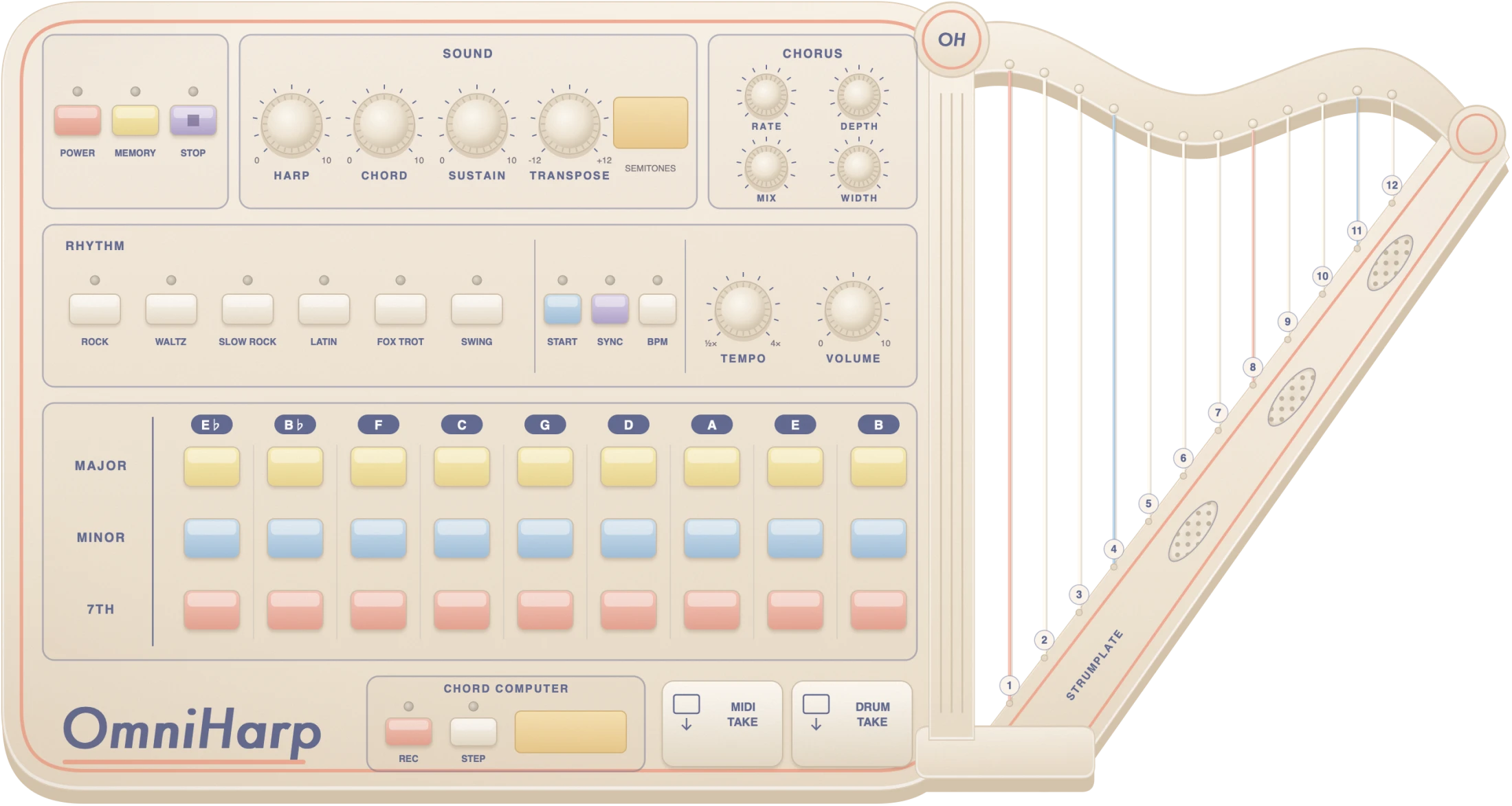
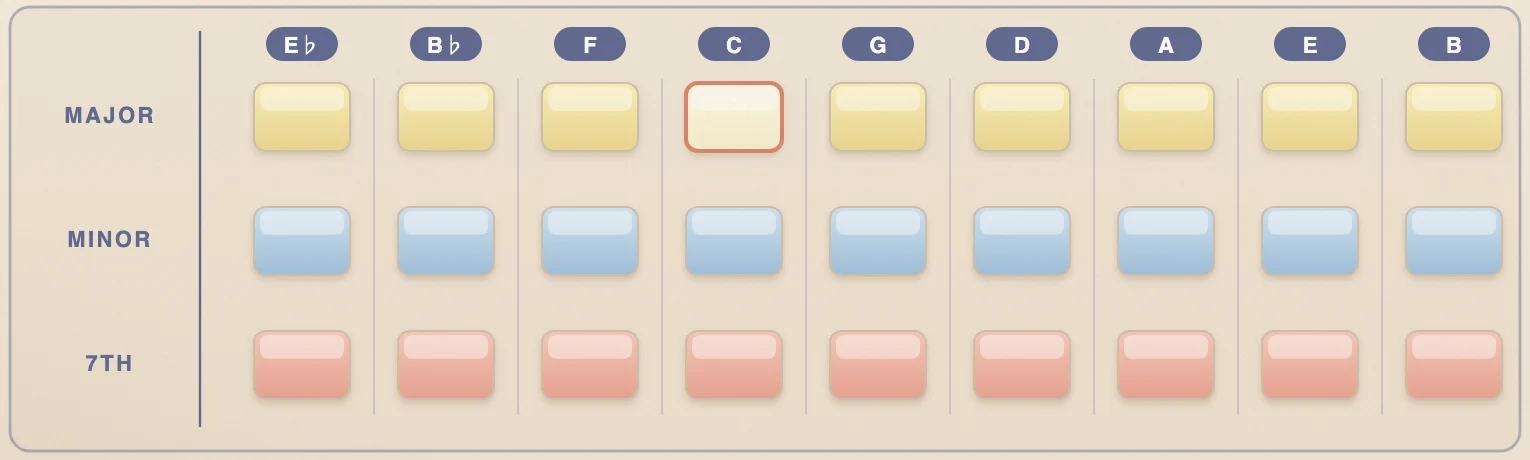
54 chords from 27 buttons
Nine roots, three rows: major, minor and 7th. Hold two buttons ore more buttons
| Major + 7th | maj7 |
|---|---|
| Minor + 7th | m7 |
| Major + minor | dim |
Hold chords in different columns to layer up to four, like B major over C major. The strings then play all their notes, lowest first.
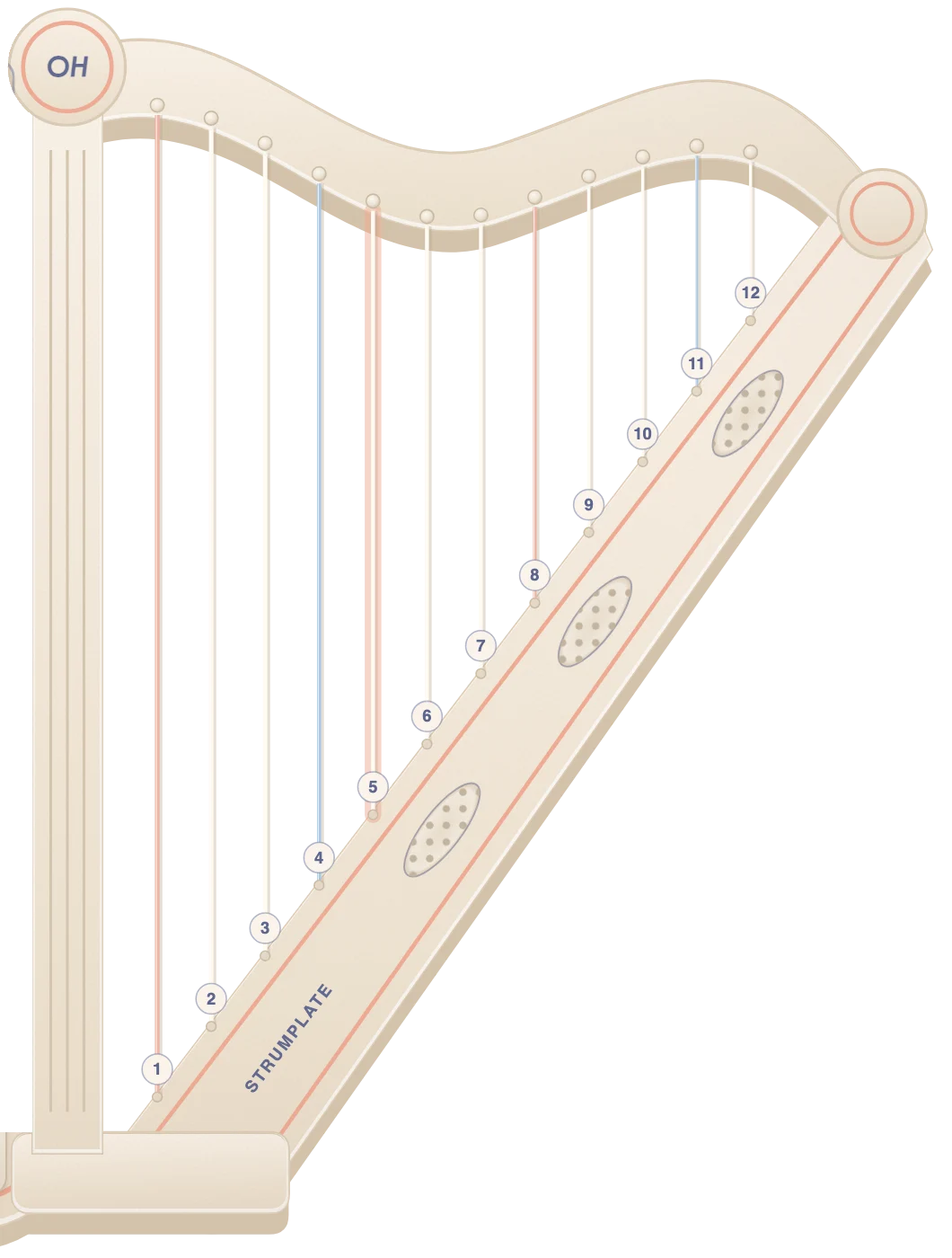
Twelve strings, always in key
Click one string or drag across them all. In a DAW, play them with MIDI notes 60 to 71. They follow the chord you're holding, or the last one you played.
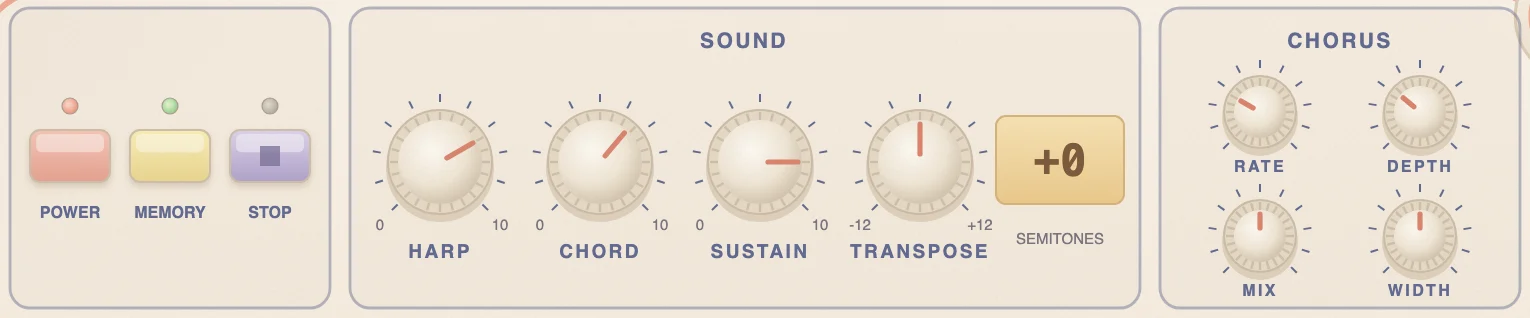
Memory is on by default, so a chord keeps sounding after you let go. Turn the Sustain knob down and the strings ring for less time.
Six rhythms that can follow your song
Sync holds a rhythm back until your next chord, or until the DAW starts playing.
Turn on BPM and the rhythm follows your song's tempo, with each bar of drums starting on the DAW's bar. Speeding up a loop also raises its pitch.

From clean to wobbly tape
Chorus bends the pitch of the chords and strings while the drums stay dry. With Mix at 100% you get pure vibrato. Lower settings blend in the dry sound, and Width spreads the wobble across the stereo field.
Transpose shifts the chords and strings by up to 12 semitones either way. Your DAW can automate every knob, and your project saves them.
Drag what you just played into your DAW
OmniHarp records everything you play, including mouse strums and clicked chords. Drag the MIDI Take tile onto a track for a MIDI clip, or the Drum Take tile onto an audio track for a .wav. If the DAW was playing, the take lines up from the bar where you began.
Takes are also saved to Music/OmniHarp Takes. To plan a progression ahead, record it into the Chord Computer, then step through it with Step, the space bar or MIDI note 72.

Other ways to play it
Akai MPK mini mk2
OmniHarp understands an MPK mini layout out of the box, once the controller is set up to send it.
| Keys | The current chord's harp note closest to each key, so sliding across them strums |
|---|---|
| Pads | 16 chords across banks A and B |
| Knob 8 | Makes every pad play its root as major, minor, 7th, maj7, m7, then dim |
| Knobs 1 to 7 | Harp, chord and rhythm volume, tempo, sustain, transpose, rhythm |
| Joystick | Strums up from string 1 or down from string 12 as you push, and back as it returns |
Any controller set up to send the same notes and CCs works too.
AI assistants, over MCP
Each running copy of OmniHarp opens a control port on your own machine, on 127.0.0.1. Its MCP server lets an assistant such as Claude read the plugin's state, including the MIDI it's receiving, the output level and the active chord. It can also play chords, strings and strums.
To set it up, click the OH crown on the harp. The How to play panel copies the command for you.
Specs
Formats
| macOS 12 or later | VST3, AU, standalone app (Intel and Apple silicon) |
|---|---|
| Windows, 64-bit | VST3, standalone app |
| Window | Resizable, on a new pastel page each time it opens. This website does the same. |
Computer keyboard
| Major chords | q w e r t y u i o |
|---|---|
| Minor chords | a s d f g h j k l |
| 7th chords | z x c v b n m , . |
| Strings | 1 2 3 4 5 6 7 8 9 0 - = |
MIDI map
| Notes 24–35 | 7th chords, by root |
|---|---|
| Notes 36–47 | Minor chords, by root |
| Notes 48–59 | Major chords, by root |
| Notes 60–71 | The 12 strings |
| Note 72 | Chord Computer step |
| Notes 73–111 | Harp keys, two octaves lower |
| Notes 112–127 | Pads, bank A then bank B |
| CC 70–77 | Knobs |
| Pitch bend, CC 1 and 2 | Joystick strums |
Download OmniHarp
Name your price on Gumroad. Entering 0 gets it for free.
Get it on GumroadInstall on macOS
- Unzip the download.
- Copy
OmniHarp.vst3to~/Library/Audio/Plug-Ins/VST3/. - For Logic and GarageBand, copy
OmniHarp.componentto~/Library/Audio/Plug-Ins/Components/. - Rescan plugins in your DAW. OmniHarp is under Personal > OmniHarp.
To use it without a DAW, drag OmniHarp.app to Applications.
Install on Windows
- Unzip the download.
- Copy the
OmniHarp.vst3folder toC:\Program Files\Common Files\VST3\. - Rescan plugins in your DAW. OmniHarp is under Personal > OmniHarp.
OmniHarp.exe runs without a DAW. The build isn't code-signed, so SmartScreen may warn you. Choose More info, then Run anyway.